
I Built a Daily Brief with Claude Code Routines (remote). Here Are 6 Lessons I Learned.
Connectors don't auto-load. Routine skills are production jobs. The network is proxy-locked. MCP and Bash are separate transports. Cloud routines are MCP-only. And the API trigger is fire-and-forget

Before routines existed, I was using scheduled tasks in Claude Cowork to automate some tasks, but there was a catch: Claude had to be open and running on my machine for them to fire. If my laptop was closed or Claude wasn’t active, the schedule just silently skipped. It worked well enough for things I could babysit, but it wasn’t real automation.
Routines changed that. They’re cloud-hosted Claude sessions that run on Anthropic’s infrastructure: scheduled, autonomous, and completely independent of whether my machine is on, whether I’m at my desk, or whether I’ve opened Claude that day. The session spins up, does the work, and terminates. No babysitting.
But here’s the thing I wish someone had told me before I started: routines are not just “Claude Code with a cron schedule.” They behave more like autonomous production jobs running inside a locked-down, MCP-first cloud environment. That difference is the whole post.
I decided to build a daily work brief: something that runs every weekday morning, queries my task database, reads my calendar, closes out what I finished yesterday, and drops a fresh Notion page ready for the day. Something I’d actually use.
What followed was one of the more educational debugging sessions I’ve had in a while. This post is everything I learned the hard way.
What I Built
I run a personal capture system on Supabase. Everything goes in (tasks, notes, observations, ideas) via SMS, voice memo, email, or direct API. It’s connected to a graph of entities (people, projects, topics) and every entry gets embedded for semantic search.
The daily brief is the morning layer on top of that. Every weekday it should:
Find yesterday’s Notion page and close any tasks I checked off
Capture any new todos I typed directly into Notion overnight
Query the database for overdue tasks, what’s due today, what’s coming this week
Pull budget pulse, velocity metrics, calendar events, meeting prep context
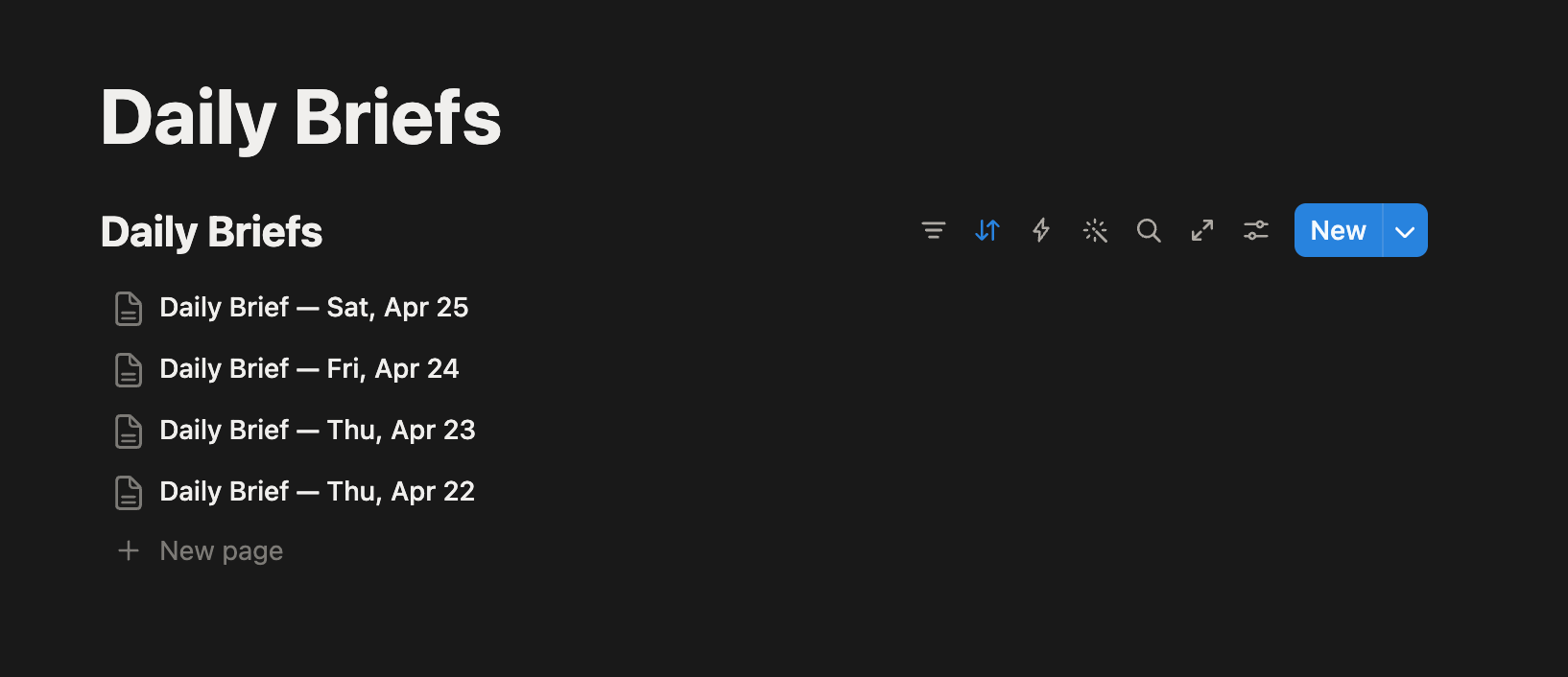
Build a fresh Notion page with everything organized and every task as a checkbox
The key mechanic: every task gets a #id prefix when written to Notion. The next morning the routine reads the page, finds checked items with #id, and closes them in the database. No manual status updates. Check the box, it’s done.
How Routines Work
Before getting into the details, here’s the basic architecture.
Three trigger types:
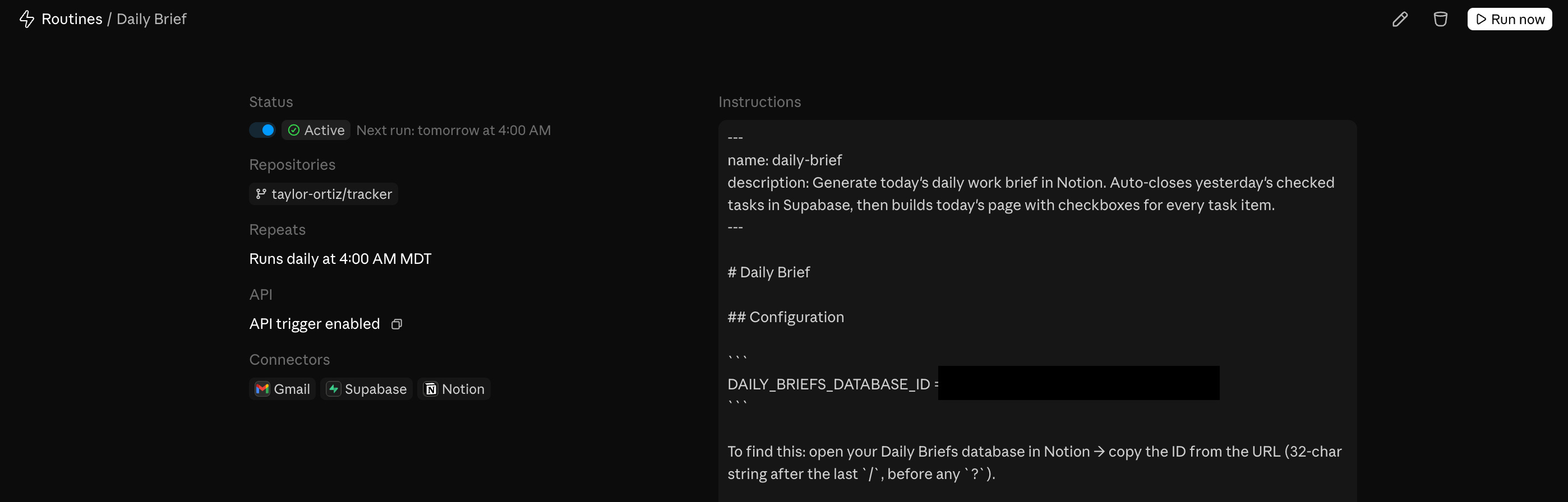
Scheduled: runs on a cron schedule (weekdays at 6 AM, for example). Supports one-off future runs too.
API: fire it programmatically via a POST to a per-routine endpoint with a bearer token. You can pass a
textfield with run-specific context (an alert body, a log snippet, anything) and the routine receives it alongside its saved prompt.GitHub: trigger on pull request or release events on a connected repo, with filters for author, branch, labels, draft state, and more.
You can combine all three on a single routine.
MCP connectors: you attach MCP servers to the routine (Notion, Supabase, Google Calendar, etc.) and Claude has access to those tools during the run. All your connected connectors are included by default. Remove what the routine doesn’t need.
Skills: if you commit a skill file to your repo at .claude/skills/skill-name.md, the routine can invoke it. The routine clones your repo at the start of every session, so anything committed is available.
Environments: each routine runs in a cloud environment that controls network access level, environment variables (API keys, tokens), and a setup script for installing dependencies. The setup script result is cached so it doesn’t re-run every session. This is where the network restriction lives (more on that in Finding 3).
Branch permissions: by default Claude can only push to claude/-prefixed branches. To allow pushes anywhere, you have to explicitly enable unrestricted branch pushes per repo when setting up the routine.
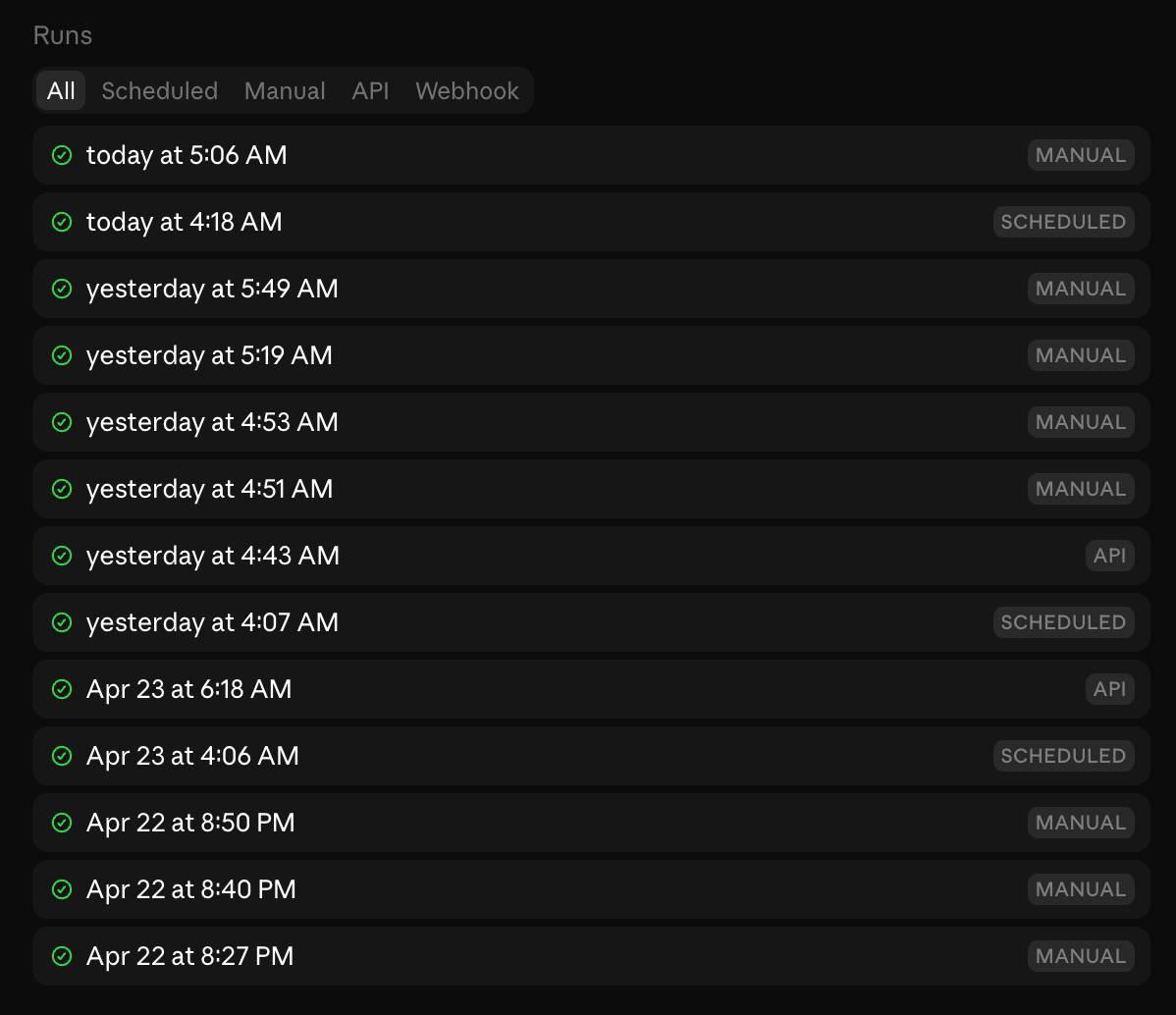
Runs are sessions: every run shows up in your session list like any other Claude session. You can open it after the fact, see exactly what Claude did, continue the conversation manually, or create a PR from it.
Account-scoped: routines belong to your individual claude.ai account, not a team. Anything the routine does through GitHub or connectors appears as you.
15 runs/day limit: this is per account, not per routine. Scheduled runs count against it. Manual “Run now” clicks and one-off scheduled runs do not. Failed runs do count. If you’re running multiple routines on a schedule, that limit adds up fast.
That’s the happy path. Here’s where it gets interesting.
Finding 1: Connectors Are Available but Sometimes Deferred
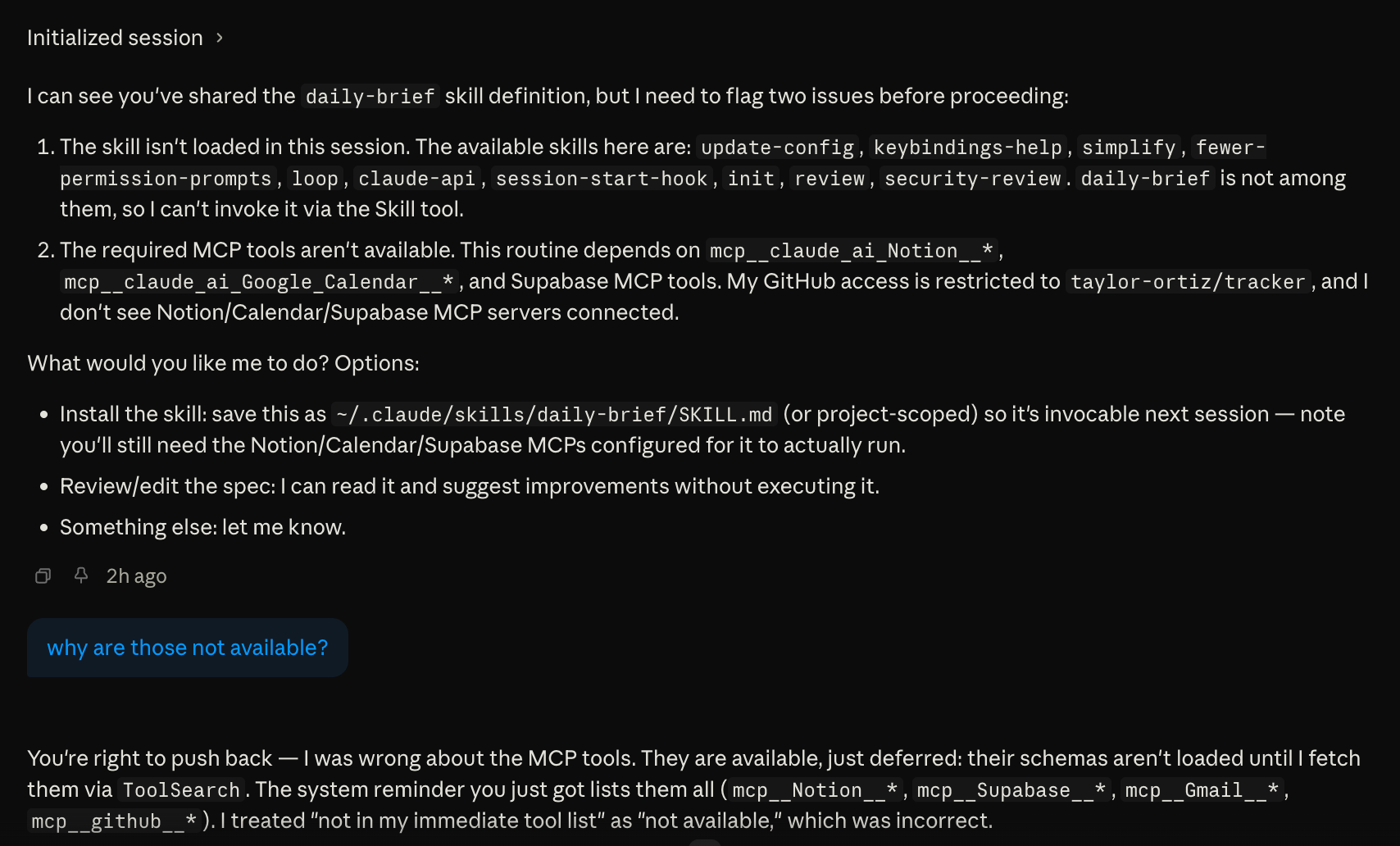
Any MCP connector you’ve set up in Claude (Notion, Supabase, Google Calendar, Gmail) can be attached to a routine and used during the run. That part works well. The catch is that these tools appear to be deferred, meaning their schemas aren’t loaded into the session automatically. Sometimes Claude knows to spin them up based on context. Other times it doesn’t, and when it doesn’t, one of three things happens: it fails silently, it improvises mid-run without the tools it needs, or it pauses and waits for your input.
That third one is the most frustrating. The run just hangs. There’s no notification, no error surfaced anywhere obvious. You have to go into the routines page, scroll to the run log at the bottom, click into the run, and find where it stopped waiting for you to respond before it can continue.
One thing worth knowing upfront: only the connectors Anthropic offers out of the box are available for routines. Custom MCP servers you’ve added yourself, whether locally configured or self-hosted, are not available in cloud routine sessions. You’re working with what’s in the connectors list in the web UI, nothing more.
The fix is simple: add an explicit tool-loading step at the top of every routine skill before anything else runs.
## Phase 0: Load required tools

Before doing anything else, load all required tool schemas:

1. `select:mcp__claude_ai_Notion__notion-search,mcp__claude_ai_Notion__notion-fetch,mcp__claude_ai_Notion__notion-create-pages`
2. `select:mcp__claude_ai_Supabase__execute_sql`
3. `select:mcp__claude_ai_Google_Calendar__gcal_list_events`

Do not proceed until all three ToolSearch calls have returned schemas.
Don’t assume Claude will figure it out. Some runs it will, some runs it won’t. Explicit loading makes every run consistent.
Finding 2: Skills for Routines Are a Different Category
Related to the above but broader. When I write a skill for interactive use, I can be loose. Claude improvises, asks clarifying questions, recovers from ambiguity. When I write a skill for a routine, I’m writing instructions for an autonomous agent that will execute them literally with no fallback.
What that means in practice:
Every tool must be explicitly loaded (see Phase 0)
Every SQL insert must match actual DB constraints: my first captures used
source = 'notion'which violated a check constraint on the table. The routine didn’t know, just failed silently. I had to find it in the logs.Every write operation needs a dedup guard: routines can run more than once. Any insert without idempotency protection will create duplicates.
Sequencing has to be explicit: don’t assume any implicit context from a previous session
The mental model shift: interactive skill = helpful assistant. Routine skill = production job. Write it accordingly.
Finding 3: The Network Wall
This is the big one. The finding I didn’t expect and took the longest to understand.
My capture system uses a Supabase edge function. When a new item comes in, it gets classified, embedded, and entity-linked. I wanted the daily brief to send new Notion todos through that same pipeline.
Locally, this works fine. Claude uses Bash(curl) to POST to the edge function. I tested it, it worked, I assumed it would work in a routine.
It doesn’t.
Cloud routines run inside a sandboxed environment with an upstream proxy that has a narrow allowlist. In my testing, only github.com passes through. Everything else: including my own Supabase project URL: returns 403.
I tried everything:
// .claude/settings.json
{
  "permissions": {
    "allow": ["Bash(curl *)"]
  }
}
Doesn’t work. The settings file controls the inner sandbox layer. The upstream proxy is a separate layer that no local configuration can touch.
I tried dangerouslyDisableSandbox: true. Also doesn’t work: that flag bypasses the local sandbox, not the upstream proxy.
I had the routine probe its own network access to confirm:
HostStatus
github.com → 200
my-project.supabase.co → 403
example.com → 403
anthropic.com → 403
Bash exists in the session. The tool is there. The network isn’t.
Finding 4: MCP and Bash Support Vary Based On Feature
This is the conceptual unlock that made everything make sense.
When I use Claude Desktop locally and it calls my edge function, it feels like one unified “Supabase connection.” Supabase MCP is connected, Claude is talking to Supabase, everything works. What I didn’t realize: the edge function call was never going through MCP. It was going through Bash(curl) on my local machine, which has full internet access.
MCP connectors and Bash are two completely separate transport layers:
MCP connectors run as a trusted sidecar process managed by Anthropic. They bypass the outbound proxy entirely. They always work in cloud routines.
Bash goes through the session’s network sandbox, which goes through the upstream proxy. In cloud routines, that proxy blocks everything except github.com.
When both are available locally, they feel like one thing. Move to a cloud routine and they diverge completely. Anything that relied on Bash for network calls breaks: and you only find out when you try to run it in the cloud.
Finding 5: Cloud Routines Are Effectively MCP-Only
This follows directly from Finding 4.
If the operation you need has an MCP tool: works fine. Supabase database queries, Notion reads and writes, Google Calendar, Gmail: all covered because all have MCP servers.
If the operation you need has no MCP tool: no path. You cannot reach it from a cloud routine.
My edge function is the perfect example of the gap. It lives on my-project.supabase.co: the exact same host the Supabase MCP is already talking to. But the Supabase MCP server only exposes management tools:
execute_sqldeploy_edge_functionget_edge_functionlist_edge_functionsget_logs
No invoke_edge_function. So even though the connection is there, there’s no tool to call it. The right fix: when Supabase eventually builds it: is an invoke tool that would go through the trusted MCP channel. Until then, it’s a dead end from cloud routines.
The one-line version: if it doesn’t have an MCP tool, it doesn’t exist in a cloud routine.
Finding 6: API Trigger Is Unreliable for Connectors
The routine has three trigger modes. Scheduled runs work consistently: MCP connectors load, the session is fully equipped.
In my testing, API-triggered runs were less predictable than scheduled runs when it came to connector availability. Sometimes everything loaded correctly. Other times the MCP connectors didn’t show up at all. I couldn’t find a consistent pattern. For anything you’re depending on, use the scheduled trigger. API is fine for testing and one-offs, but I wouldn’t build a production workflow around it until this stabilizes.
One other thing worth understanding about the API trigger: it’s fire-and-forget. You POST to the endpoint, get an immediate acknowledgement, and the session runs asynchronously. There’s no way to await the result or receive output back in the response. If you need the output of a routine run downstream, you have to pull it from wherever the routine wrote it — a Notion page, a database row, a file committed to the repo. Don’t design something that treats a routine as a synchronous dependency you can await inline.
The Workarounds
Given all of the above, here’s what I actually shipped:
For the edge function problem: Switched from Bash(curl) to execute_sql via Supabase MCP with a dedup guard.
INSERT INTO entries (type, content, source, source_detail, status, priority, tags, created_at)
SELECT 'task', '<content>', 'notion', 'notion-daily-brief', 'open', 2, ARRAY['company'], NOW()
WHERE NOT EXISTS (
  SELECT 1 FROM entries
  WHERE content = '<content>'
    AND source_detail = 'notion-daily-brief'
    AND created_at >= NOW() - INTERVAL '2 days'
);
The tradeoff: SQL inserts skip the embedding and entity extraction pipeline that the edge function handles. The data gets in, but it’s not semantically searchable and not graph-linked.
For the missing embeddings: Built an embed-backfill edge function that runs nightly via pg_cron. It finds any entries with null embeddings and fills them in using the same text-embedding-3-small model. Deployed it, scheduled it, moved on.
// embed-backfill/index.ts
Deno.serve(async (_req: Request) => {
  const { data: entries } = await supabase
    .from("entries")
    .select("id, content")
    .is("embedding", null)
    .limit(50);

  for (const entry of entries) {
    const embedding = await computeEmbedding(entry.content);
    if (embedding) {
      await supabase
        .from("entries")
        .update({ embedding: JSON.stringify(embedding) })
        .eq("id", entry.id);
    }
  }
});
Not elegant, but it works. The routine captures things correctly. The embeddings catch up overnight. The gap is acceptable.
What’s Working
After all of this, the routine does run. Every weekday morning there’s a Notion page waiting for me. Yesterday’s checked tasks are closed. The task list is organized by priority and deadline. Budget pulse, velocity, meeting prep: all there.
The auto-close loop in particular is exactly what I wanted. Check a box in Notion, the task closes in the database the next morning, it’s gone from every query. No status management.
The place where routines genuinely shine: anything that’s pure MCP. Read the database, write to Notion, check the calendar. Chain those together with real business logic and you have something that would have taken significant engineering to build two years ago. Now it’s a markdown file and a cron schedule.
The Bigger Picture
What routines reveal is that the constraint isn’t Claude: it’s MCP ecosystem coverage. The platform is designed around the assumption that every operation you need has an MCP server. For most things, that assumption holds. For the gaps, you’re stuck.
The proxy lockdown makes sense from a security standpoint. You don’t want arbitrary cloud sessions making unconstrained outbound HTTP calls. But it means the platform’s capability ceiling is directly tied to what MCP servers exist and what tools those servers expose.
Supabase’s MCP server is a good example: it covers database management well but treats edge functions as deploy artifacts rather than callable endpoints. One invoke_edge_function tool would close the gap entirely. The connection is already there: it’s just a missing tool.
That’s probably the most useful framing for anyone building on routines right now: map out every operation your automation needs, check whether each one has an MCP equivalent, and design around the ones that don’t before you start building.
Checklist for Building Routine Skills for Similar Use Cases
If you remember nothing else from this post, use this as your preflight checklist before enabling any routine schedule:
[ ] Phase 0 loads all deferred tool schemas explicitly
[ ] Every external service operation goes through MCP (not Bash)
[ ] Every SQL insert has a dedup guard
[ ] DB constraints validated against actual schema before writing the skill
[ ] Scheduled trigger used for production runs (not API trigger)
[ ] Skill tested with “Run now” before enabling the schedule